 Laman Utama
 Pengetahuan
China Percukaian China Cukai Pendapatan Individu 2022 China Special Additional Deduction and Withholding Agents
Pengetahuan
China Percukaian China Cukai Pendapatan Individu 2022 China Special Additional Deduction and Withholding Agents
 PENGETAHUAN
|
(1) |
By IIT APP Step 1: Click on homepage of 【Enter¬—Confirm】 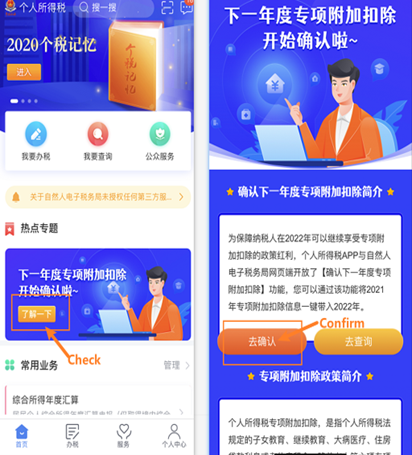 Step 2: Click 【Confirm】【2022】 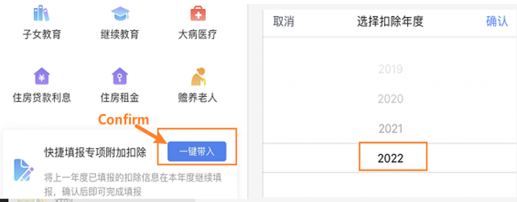 If there is an abnormal situation, please slide left on the screen to delete the【Invalidated】 item, as shown below: 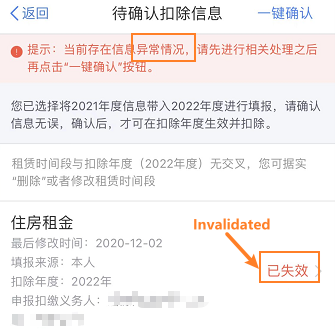 Step 3: Click【Confirm】The modification is successfully. 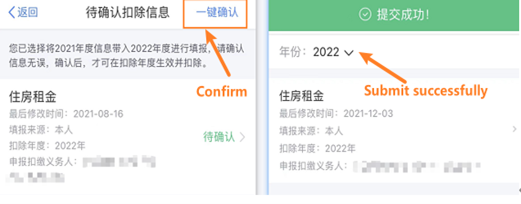 |
|
(2) |
By Website: Step 1: Log in the website (https://etax.chinatax.gov.cn//) and click【Tax handling】【2022】【Confirm】 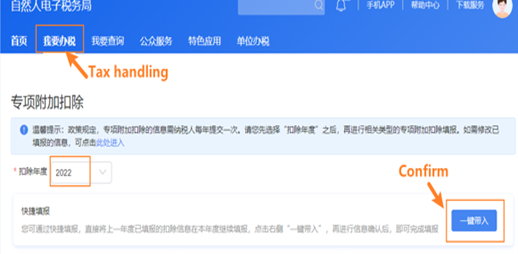 If there is an abnormal situation, please slide left on the screen to delete the【Invalidated】 item, as shown below: 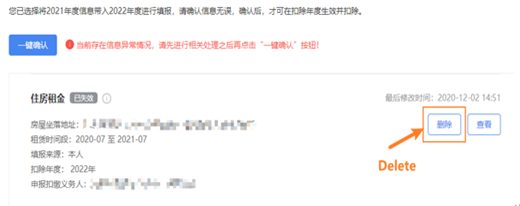 Step 2: Click 【Confirm】 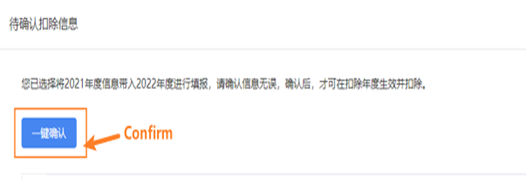 |
| (1) |
By IIT APP Step1 : Click on the homepage of 【Special Additional Deduction Declaration】 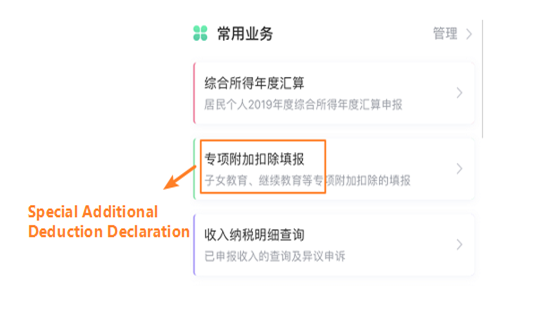 Step 2: Click 【Deduction Year】and choose “2022”, and complete the deduction information. 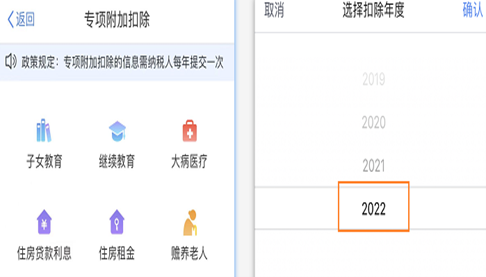 |
|
(2) |
By Website: Step 1: Click 【Special Additional Deduction】 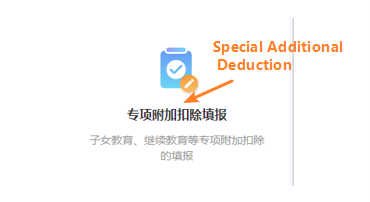 Step 2: Click 【Deduction Year】and choose “2022”, and complete the deduction information. 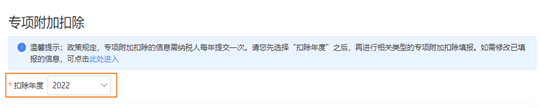 |
|
(1) |
By IIT APP Step 1: Click 【Personal Information】-【Employment Information】 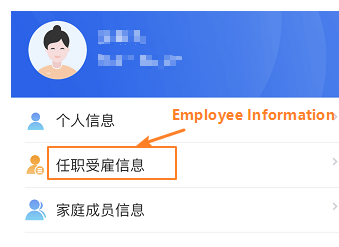 Step 2: Choose Withholding Agent 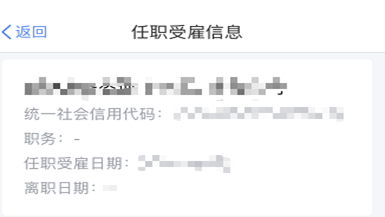 |
|
(2) |
By Website: Step 1: Click 【Complete Personal Information】 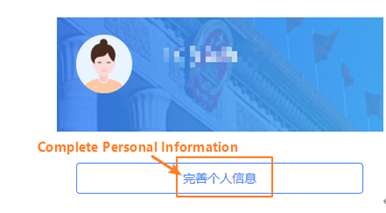 Step 2: Click 【Employment Information】 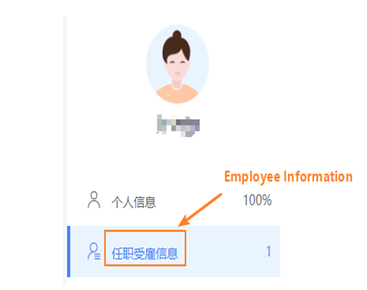 Step 3: Choose Withholding Agent 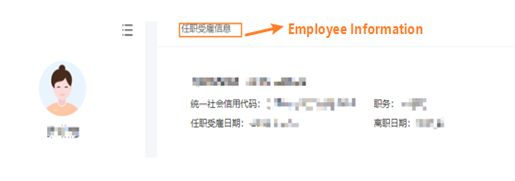 |
|
Penafian
Segala maklumat dalam artikel ini adalah untuk tujuan perkongsian maklumat sahaja dan bukan merupakan nasihat profesional. Kaizen tidak akan bertanggungjawab terhadap sebarang kerugian atau kerosakan yang timbul daripada penggunaan maklumat tersebut.
|
Bahasa


Tutup


